

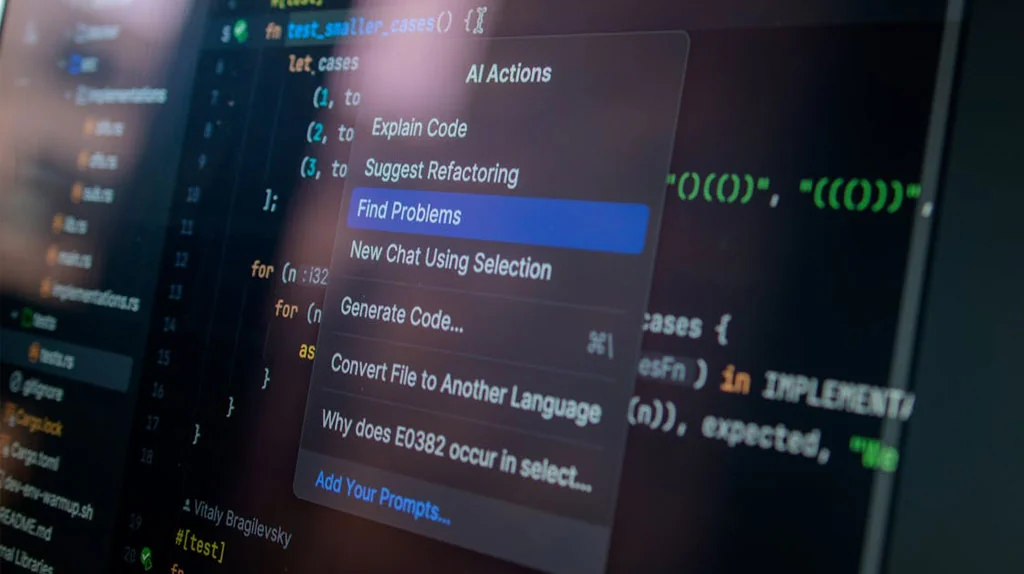
A few years ago, most developers looked at AI tools like a better autocomplete. You typed a few characters, and the editor suggested the next line. Useful, but nothing serious.
Now things are different.
Today, a developer can ask an AI tool to explain an old function, find a bug, write test cases, prepare a quick API draft, review a pull request, or even understand a large codebase. Some tools can work inside the editor. Some can run from the terminal. Some can connect with your repository and create changes on a branch.
That sounds powerful, and honestly, it is. But it also creates one big misunderstanding.
AI does not remove the need for real development skills. In fact, weak fundamentals become more dangerous when a developer blindly copies AI-generated code. The code may look clean, but still be wrong, insecure, slow, or completely misaligned with the project.
So the real skill is not just “using AI.” The real skill is knowing how to guide it, review it, question it, and apply it safely in actual projects.
This AI for Developers guide is for beginners who want to understand where to start without getting lost in hype.
What Does AI for Developers Actually Mean?
When people say AI for developers, they usually mean using artificial intelligence tools to make software development easier, faster, or more organized.
That can include many things:
- Understanding unfamiliar code
- Fixing errors
- Writing small functions
- Creating boilerplate code
- Generating unit tests
- Reviewing pull requests
- Writing documentation
- Creating database queries
- Building AI-powered features inside an app
For example, suppose you open a React component written six months ago. The file is long, the logic is mixed, and nobody remembers why it was written that way. Earlier, you would spend time reading every line and checking related files. Now, you can ask an AI coding assistant:
“Explain this component in simple terms. Also tell me which parts may cause unnecessary re-renders.”
That does not mean you should accept everything it says. But it gives you a useful starting point.
Modern tools are also moving beyond simple chat. Claude Code, for example, is described as an agentic coding tool that can read a codebase, edit files, run commands, and work through development tasks from the terminal. OpenAI’s developer platform also includes APIs, Codex, real-time tools, and resources for building AI experiences and coding workflows.
This is why developers should not ignore AI anymore. It is already becoming part of the development workflow.
Why Developers Should Learn AI Now
There is a simple reason: the way we build software is changing.
Earlier, productivity depended mostly on how fast you could type, search, debug, and read documentation. These things still matter. But now, developers also need to know how to work with AI tools properly.
A developer who knows how to ask better questions, give better context, and review AI output carefully can move faster than someone who only writes code manually.
This does not mean every developer must become a machine learning engineer. You do not need to understand neural networks deeply just to use AI in your coding workflow.
But you should understand:
- Which AI tools are useful for your work
- How to write better prompts
- Where AI output can go wrong
- How to test AI-generated code
- How to protect private code and secrets
- How to use AI without damaging code quality
GitHub Copilot is now positioned not only as autocomplete, but also as an assistant for coding, pull requests, and agent-based development workflows. GitHub’s coding agent documentation explains that Copilot can work on tasks, create changes, and help with implementation in a repository workflow.
The message is clear. AI coding tools are not a future idea anymore. They are already here.
The Best Beginner Use Cases of AI in Coding
If you are new to AI tools, do not start by asking them to build a full product. That usually creates messy results.
Start with small, practical tasks.
1. Use AI to Understand Code
This is one of the safest ways to begin.
You can paste a function and ask:
Explain this function like I am new to this project.

Or

Tell me what this code is doing and where it may fail.This is very useful when joining a new team or working on an old project. AI can quickly explain flow, dependencies, conditions, and possible weak points.
Still, read the code yourself. Treat the AI answer as guidance, not final truth.
2. Use AI for Debugging
Every developer has faced errors that look simple but waste hours.
AI can help you understand the error message, but the prompt must include enough context. Do not just paste the error and say “fix this.”
A better prompt is:
I am using React with TypeScript. This error comes when I submit the form.
Here is the component and the error message. Please explain the root cause first,
then suggest the smallest safe fix.This type of prompt usually gives better results because it gives context and asks for reasoning before the solution.
3. Use AI to Write Test Cases
Testing is one area where AI can save real time.
Many developers write the happy path and forget edge cases. AI can help you think of missing scenarios.
For example:
Write unit tests for this validation function. Include empty input, invalid email,
long string, and successful case.Even here, review the tests. Sometimes AI writes tests that pass but do not really verify business logic.
4. Use AI for Boilerplate Code
Every project has repetitive code. Routes, controllers, services, DTOs, forms, schema files, config files, and basic CRUD operations.
AI can prepare the first draft quickly.
But do not directly push that code. Adjust it according to your project structure, naming rules, error format, logging system, and security standards.
5. Use AI for Documentation
Most developers do not enjoy writing documentation. But poor documentation creates confusion later.
AI can help create:
- README sections
- API documentation
- Pull request summaries
- Release notes
- Code comments
- Setup instructions
This is a good use case because the risk is lower compared to production code. Still, check accuracy before publishing.
Popular AI Tools for Developers
There are too many tools in the market. A beginner does not need to try all of them.
Start with tools that fit your daily work.
GitHub Copilot
GitHub Copilot is one of the most popular AI coding tools. It works well inside editors and GitHub workflows. Developers use it for code suggestions, chat, pull request support, and repository-based tasks.
It is useful when you want help while writing code inside your editor.
Best for:
- Code completion
- Small function drafts
- PR summaries
- Quick explanations
- Editor-based development
Read more here
Claude Code
Claude Code is useful when you want an AI assistant that can work with your codebase from the terminal. According to its documentation, it can search files, edit code, run commands, and verify changes through an agentic loop of gathering context, taking action, and checking results.
Best for:
- Understanding large projects
- Refactoring
- Debugging
- Running terminal-based workflows
- Multi-file changes
OpenAI Developer Tools and Codex
OpenAI provides developer tools for building AI features, coding workflows, realtime applications, and agent-based systems. Its developer platform highlights APIs, Codex, Apps SDK, and other resources for building AI-powered experiences.
Best for:
- Building AI features in your own app
- Creating agents
- Code-related workflows
- API-based AI products
- Experimenting with AI automation
Google Gemini API
Google AI for Developers provides Gemini API resources, AI Studio, and documentation for developers who want to build with Google’s models.
Best for:
- AI app prototypes
- API experiments
- Multimodal use cases
- Google ecosystem projects
- Long-context use cases
How to Write Better Prompts for Coding
Most developers get poor AI output because they write poor prompts.
A prompt like this is not enough:
Create login API.The AI does not know your stack, database, security requirement, folder structure, validation rules, or response format.
A better prompt would be:
Act as a senior Node.js developer. I am using Express, PostgreSQL, Prisma, and JWT.
Create a login API with email and password validation, bcrypt password check, proper
error handling, and clean folder structure. Do not include refresh token logic yet.
Also explain where each file should go.This prompt works better because it gives clear boundaries.
A Simple Prompt Format
Use this structure:
Context → Task → Rules → Output FormatExample:
I am working on a React TypeScript project. I have a table component where column
visibility is stored in local storage. Review this logic and suggest improvements.
Do not change the UI. Return the answer in three sections:
issue, reason, and corrected code.This is the kind of prompt that produces useful output.
Give AI Your Project Rules
AI does not automatically know your project standards. Tell it.
For example:
- Use TypeScript
- Follow existing folder structure
- Do not add new libraries
- Use Tailwind classes only
- Do not change existing API response
- Keep the function backward compatible
- Add tests using React Testing Library
- Avoid inline styles because CSP does not allow them
The more real context you provide, the better the result.
Beginner Roadmap: How to Learn AI for Developers
Do not try to learn everything in one week. Start with a practical roadmap.
Step 1: Use AI for Explanation
For the first few days, only use AI to explain code and errors.
Ask questions like:
- What does this function do?
- Why is this error coming?
- Which part of this code is risky?
- Can this logic be simplified?
This builds confidence without creating too much risk.
Step 2: Use AI for Small Code Changes
Next, ask AI to write small functions or improve existing logic.
Do not ask for full modules yet. Start small.
Good examples:
- Convert this function to TypeScript
- Add validation to this form
- Improve this SQL query
- Create a reusable utility function
- Refactor this condition for readability
Step 3: Use AI for Tests
Once you are comfortable, use AI to create test cases.
This helps you learn edge cases and also improves project quality.
Ask:
Create meaningful unit tests for this function. Do not test implementation details.
Focus on user behavior and edge cases.Step 4: Use AI for Review
Before raising a pull request, ask AI to review your changes.
A useful prompt:
Review this code before PR. Focus on bugs, maintainability, security, performance,
and missing test cases. Do not rewrite everything. Give only practical suggestions.This can catch small issues before your team reviews the code.
Step 5: Learn AI APIs
After using AI as a coding assistant, start learning how to build AI features inside applications.
Begin with:
- Simple text generation
- Structured JSON output
- Function calling
- Embeddings
- RAG
- Agents
- Tool calling
- Realtime voice or chat features
Do not jump directly to complex agents. Build one small feature first.
Step 6: Build a Small AI Project
Theory is not enough. Build something.
Here are simple project ideas:
- AI commit message generator
- AI bug explanation tool
- AI code review helper
- AI documentation generator
- AI meeting summary app
- AI test case generator
- AI chatbot for a documentation website
A small finished project teaches more than watching ten tutorials.
Common Mistakes Beginners Make With AI Coding Tools
AI tools are useful, but they can also create bad habits.
Mistake 1: Copying Code Without Understanding
This is the biggest mistake.
If AI gives you code and you do not understand it, do not use it. Ask it to explain the logic first. Then test it yourself.
Mistake 2: Sharing Sensitive Data
Never paste passwords, API keys, tokens, private client data, or production secrets into AI tools.
Also be careful with proprietary code. Every company has different rules for AI tool usage.
Security is also important when using third-party tools, packages, and developer platforms. A small mistake in the development workflow can create a bigger risk later. I covered one such example in my TanStack hacked May 2026 incident guide, where the incident shows why developers should stay careful with dependencies, package security, and trusted sources.
Mistake 3: Asking Very Broad Questions
“Build me a SaaS app” is not a good development prompt.
Break the task into smaller pieces:
- Database schema
- Auth flow
- API routes
- UI components
- Validation
- Error handling
- Tests
- Deployment
AI performs better when the task is narrow and clear.
Mistake 4: Not Testing AI Code
AI-generated code can look polished but still fail in real use.
Always run:
- Unit tests
- Type checks
- Lint checks
- Manual testing
- Security review for sensitive areas
Claude Code’s documentation also shows that modern agentic tools work by gathering context, taking action, and verifying results, which is a good reminder that verification is not optional.
Mistake 5: Ignoring Architecture
AI can generate files quickly, but architecture is still your responsibility.
You must decide:
- Where the logic should live
- Which pattern fits the project
- How data should flow
- What should be reusable
- What should not be over-engineered
- How the solution will scale later
AI can assist. It should not own the architecture.
A Practical Example: Using AI in a Real Developer Workflow
Let’s say you are working on a ticket:
Add newsletter subscription form to a WordPress website.
A poor AI workflow would be:
Create newsletter form code.A better workflow would be:
First, ask AI to break the task:
Break this WordPress newsletter subscription feature into backend, frontend,
validation, storage, admin view, and testing tasks.Then ask for one part at a time:
Create the backend handler using admin-post.php. Store emails in a WordPress option.
Validate duplicate emails. Return success and error messages.Then ask for review:
Review this code for WordPress security. Check nonce, sanitization, escaping,
and duplicate handling.Then ask for admin page:
Create a simple admin page to view subscribed emails from the stored option.
Keep the UI simple and safe.This is how developers should use AI. Not as a one-click solution, but as a step-by-step assistant.
Will AI Replace Developers?
This question comes up again and again.
My honest view is simple: AI will replace some repetitive coding work, but it will not replace good developers who understand systems, users, business logic, architecture, testing, and communication.
In fact, AI may increase the value of strong developers.
Why?
Because when code becomes easier to generate, reviewing and designing the right solution becomes more important. Anyone can generate code. Not everyone can decide whether that code is correct, secure, scalable, and useful.
A beginner developer should not fear AI. But they should also not depend on it blindly.
The better mindset is:
“AI will help me move faster, but I must become strong enough to judge the output.”
Final Thoughts
AI is becoming a normal part of software development. For beginners, this is a good opportunity. You can learn faster, understand code better, write tests more easily, and reduce some boring repetitive work.
But use it carefully.
Do not copy blindly. Do not share secrets. Do not skip testing. Do not let AI decide your architecture without review.
Start with simple tasks: explanation, debugging, test cases, documentation, and small refactoring. Then slowly move toward APIs, agents, and automation.
The developers who get the best results from AI will not be the ones who ask random prompts. They will be the ones who understand the problem clearly, give proper context, and review the output like professionals.
That is the real future of AI in development.