
Enterprise AI is moving from experimentation to real operational use. A few years ago, most developers used AI mainly for code suggestions, chat-based help, documentation search, or small automation tasks. Today, the direction is very different. Companies now want AI agents that can read internal systems, inspect cloud resources, summarize logs, create tickets, generate infrastructure changes, and support real engineering workflows.
This shift is exciting, but it also creates a serious security question. How should an AI agent connect to sensitive enterprise cloud systems without becoming a new risk? This is not a small concern. Large companies cannot allow every AI tool to freely connect with AWS accounts, internal APIs, production logs, deployment systems, or business data. The access model has to be controlled from the beginning.
That is where AWS MCP Server becomes important. The Model Context Protocol, commonly known as MCP, gives AI applications a standard way to connect with tools, services, and data sources. Instead of building custom integrations for every AI application, MCP creates a common protocol through which AI agents can discover and use approved tools. In an enterprise AWS environment, this can become a clean operational layer for connecting AI agents to cloud services safely.
However, MCP alone is not enough. A working MCP server only solves the connection problem. It does not automatically solve security, permissions, governance, auditability, or data protection. For enterprise use, AWS MCP Server must be combined with strong IAM governance. Without IAM controls, an AI agent can easily become overpowered, especially if it is connected to sensitive cloud resources.
What Is AWS MCP Server?
An AWS MCP Server is an MCP-compatible server that exposes selected AWS-related capabilities to an AI assistant or agent workflow. In simple terms, it works as a controlled bridge between an AI agent and AWS services. Instead of giving an AI tool direct and broad access to an AWS account, the organization can expose only approved capabilities through an MCP server.
For example, one MCP server may allow an AI assistant to search AWS documentation. Another may allow it to inspect infrastructure configuration. Another may help retrieve context from Amazon Bedrock knowledge bases. In more advanced cases, an MCP server may expose tools for reading cloud resources, reviewing logs, or preparing infrastructure change proposals.
The main benefit is standardization. Without MCP, every team may build its own AI integration in a different way. One team may connect an AI coding assistant to AWS documentation. Another may build a custom DevOps agent. A platform team may create a log analysis assistant. A security team may create an IAM review tool. If every integration uses a different access pattern, governance becomes difficult.
An AWS MCP Server gives the enterprise a better foundation. It can help define how agents connect, what tools they can use, what identity they run under, and how their activity is logged.
Why Model Context Protocol Matters for Enterprise AI
The Model Context Protocol matters because AI agents need context to be useful. A model by itself cannot understand your AWS environment, internal architecture, deployment history, incident logs, or company-specific policies. It needs access to tools and data. MCP provides a structured way to give that access.
This is very useful for enterprise teams because AI is no longer limited to a simple chat window. AI agents may now run inside IDEs, cloud platforms, internal dashboards, DevOps tools, support systems, and security workflows. These agents may need to search documentation, read runbooks, inspect configuration, analyze logs, or interact with internal APIs.
If all these connections are created separately, the organization will eventually lose control. Some integrations may use long-term keys. Some may expose too much data. Some may not log tool usage properly. Some may be connected to production systems without enough review.
MCP gives enterprises a chance to create a common integration model. But it should not be treated as a free pass for AI access. It should be treated as part of AI agent infrastructure, with the same seriousness as APIs, CI/CD pipelines, cloud roles, and internal automation platforms.
Why IAM Governance Is Critical
In AWS, identity is one of the most important parts of security. IAM decides who can access which service, what action can be performed, and under what conditions. This same principle must apply to AI agents.
An AI agent should not receive broad administrator access just because it needs to answer a question about Lambda logs or S3 bucket settings. This is one of the biggest risks in early AI adoption. A team may test an MCP server locally with a powerful AWS profile, find that it works well, and then start using the same pattern for real work. That may feel convenient, but it is not safe.
For production use, IAM agent governance must be designed properly. Every AI agent should have a clear identity. It should run under a dedicated IAM role. That role should have only the permissions required for the agent’s purpose. It should not inherit a developer’s personal AWS access. It should not use long-term access keys. It should not have access to every AWS account or environment by default.
This is especially important because AI agents do not behave like simple scripts. A script usually follows a fixed path written by a developer. An agent may reason through a task, call one tool, read the result, decide the next action, and continue. This makes agents powerful, but it also makes them harder to control.
For example, if a user asks an agent to investigate a production issue, the agent may try to inspect logs, check configuration, review IAM roles, read environment variables, examine deployment pipelines, and suggest fixes. Some of these actions may be acceptable. Some may be too sensitive. The agent may not be malicious, but it may overreach.
That is why enterprise AI security needs more than normal access control. It needs scoped permissions, strong logging, approval workflows, and clear boundaries between what an agent can read, suggest, and execute.
A Practical AWS MCP Server Architecture
A safer enterprise architecture should separate the AI interface from AWS permissions. The AI assistant should not directly hold broad AWS access. Instead, it should connect to approved MCP servers, and those MCP servers should expose only specific tools.
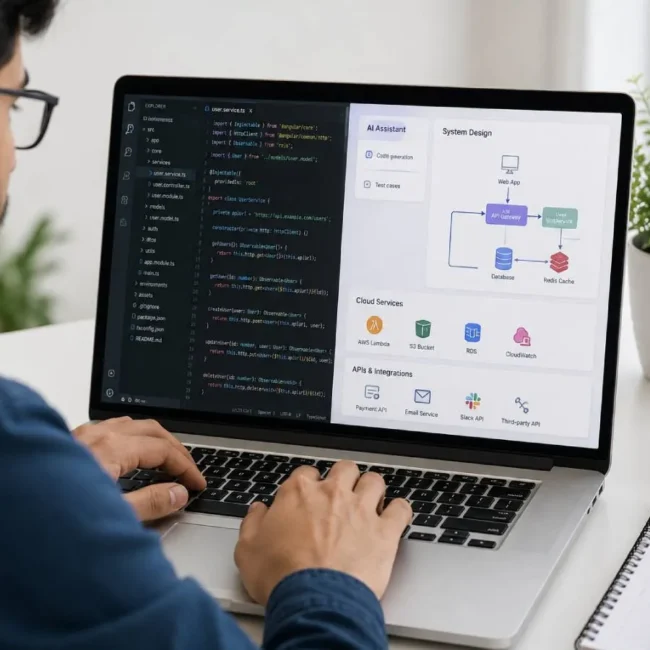
In a practical setup, the user interacts with an AI assistant or internal agent platform. The agent connects to one or more approved MCP servers. The AWS MCP Server exposes selected AWS capabilities, such as documentation search, log summary, IAM policy review, or infrastructure inspection. Behind the server, AWS access is controlled through dedicated IAM roles with least-privilege permissions.
This design gives the organization more control. The agent does not become an all-powerful cloud operator. It becomes a controlled workload that can use only the tools made available to it.
This is the right mindset for enterprise adoption. The goal is not to block AI agents. The goal is to give them useful access in a safe and auditable way.
Start with Read-Only Access
For most companies, the first production version of an AWS MCP Server should be read-only. This may look limited at first, but it is usually enough to deliver real value.
A read-only AI agent can help developers understand AWS services, summarize documentation, inspect architecture, review IAM policies, explain CloudWatch errors, identify configuration issues, and suggest improvements. It can support incident analysis without directly changing infrastructure. It can help teams move faster while keeping execution under human control.
This is a much safer adoption path. Teams can first build trust in the agent’s ability to read, summarize, and recommend. Once the organization is confident about logging, accuracy, permission boundaries, and review processes, controlled write capabilities can be added gradually.
Direct write access should never be the first step for enterprise AI agents.
When Write Access Becomes Necessary
There will be cases where write access is useful. An AI agent may need to create a pull request, update a draft configuration file, open an incident ticket, generate a CloudFormation template, or start a controlled automation workflow. These use cases can save time, especially for platform and DevOps teams.
But there is an important difference between drafting and executing. AI can draft freely. AI can suggest safely. But execution should happen only through approved pathways.
For example, an agent may generate a Terraform change, but it should not directly apply that change to production. A better approach is to let the agent create a pull request, explain the expected impact, attach relevant context, and wait for human review. The normal CI/CD and approval process can then handle the actual deployment.
This keeps AI inside the existing enterprise control model. It also gives teams a clear audit trail. If something goes wrong, the organization can see what the agent suggested, who reviewed it, who approved it, and what was finally deployed.
Designing IAM Agent Governance
A strong IAM agent governance model starts with clear questions. What is the agent allowed to do? Which AWS account can it access? Can it read production logs? Can it view secrets? Can it create resources? Can it update IAM policies? Can it trigger deployment workflows? How long should its session remain active? How will the organization review its actions later?
These questions should be answered before the agent is connected to sensitive systems.
A good practice is to create dedicated IAM roles for different agent use cases. For example, a documentation assistant may need no AWS account access at all. A cost analysis agent may need read-only billing and resource metadata access. A security review agent may need permission to inspect IAM policies and security groups but not modify them. A DevOps investigation agent may need read access to logs and deployment status but not permission to restart services.
This role separation is important. One generic AI agent role with broad permissions will eventually create risk. It may work in the beginning, but as more teams start using it, the access scope will become unclear.
The better approach is to keep each agent narrow. Give it a specific purpose, a specific IAM role, and a specific permission boundary.
Avoid Long-Term Credentials
Long-term AWS access keys should be avoided for AI agents. They are already risky in normal automation, and they become even more risky when used with agent workflows.
An enterprise AI agent may run inside a developer machine, internal portal, container, CI system, or agent orchestration platform. If long-term keys are stored in any of these places and later exposed, the impact can be serious.
Temporary credentials are safer. They expire automatically. They can be scoped to a role. They can be monitored. They can be revoked by changing role permissions or trust policies. They also make it easier to separate human activity from agent activity.
For production use, an AWS MCP Server should rely on IAM roles and temporary credentials wherever possible. Local development may still use developer profiles, but that should not become the production pattern.
Logging and Audit Trail Must Be Non-Negotiable
Every enterprise AI system needs strong logging. This is even more important when the agent can interact with cloud infrastructure.
At minimum, the organization should be able to answer who triggered the agent, what tool the agent used, what AWS role was assumed, what data was accessed, what action was attempted, whether the action succeeded, and what output was returned.
CloudTrail, CloudWatch, MCP server logs, and internal audit logs should work together. The organization should not depend only on the AI chat history. Chat history is not enough for enterprise audit requirements.
It should also be clear when an action was performed by an AI agent instead of a human. This distinction matters. If an IAM role is assumed by an agentic workflow, the logs should show that. Security teams should be able to filter agent actions, review unusual patterns, and investigate unexpected activity.
This is one of the key parts of enterprise AI security. If you cannot audit the agent, you should not give it sensitive access.
Private MCP Registry for Enterprise Use
One risk that many teams may underestimate is uncontrolled MCP server adoption. Developers may find useful MCP servers online and connect them to internal systems without full review. This can create serious security and data exposure risks.
Enterprises should avoid allowing random MCP servers inside sensitive environments. A safer model is to maintain a private MCP registry or approved server catalog. Only reviewed and approved MCP servers should be available for internal AI agents.
Each server should be reviewed for ownership, source code quality, authentication model, authorization scope, dependency risk, logging behavior, data handling, secret exposure, and maintenance status.
This may look strict, but it is practical. MCP servers are not just plugins. They are bridges between AI agents and real systems. If a bridge is poorly designed, compromised, or too permissive, the AI agent can become a path to sensitive data or actions.
Tool Design Should Be Narrow and Clear
The design of MCP tools matters a lot. AI agents choose tools based on tool names, descriptions, parameters, and returned results. A poorly written tool can confuse the model or allow it to perform actions that are too broad.
For enterprise use, tools should be narrow and clear. A tool named run_aws_command is risky because it gives the agent too much freedom. A better pattern is to expose specific tools such as read_lambda_errors, summarize_iam_policy list_s3_bucket_settings or generate_infrastructure_change_proposal.
This kind of design reduces the chance of unexpected behavior. It also makes permissions easier to control. A narrow tool can be mapped to a narrow IAM permission set. A broad tool usually requires broad permissions, which increases risk.
Tool output should also be handled carefully. The MCP server should avoid returning secrets, tokens, personal data, or unnecessary raw logs. Where possible, sensitive values should be redacted before they reach the model.
Useful Enterprise Use Cases
The safest use cases for AWS MCP Server are usually read-heavy workflows. Documentation assistance is one of the best starting points. Developers can ask AWS-related questions and get answers grounded in official documentation or internal cloud standards.
Another strong use case is IAM policy review. Developers often struggle to understand what a policy actually allows. An AI agent can explain the policy in simple language, highlight broad permissions, and suggest safer alternatives.
Incident support is also useful. An agent can summarize CloudWatch logs, identify repeated errors, compare recent deployments, and prepare an investigation summary for the engineering team. It should not restart services or change production settings unless that action goes through an approved workflow.
Cost analysis is another practical area. The agent can help teams identify expensive resources, unused services, or unusual cost patterns. Again, it should recommend actions before executing them.
Infrastructure review is also valuable. The agent can inspect Terraform, CloudFormation, or CDK changes and flag security, cost, or maintainability concerns before the code is merged.
These use cases show why AWS MCP Server is important. It can improve productivity without giving the agent uncontrolled power.
Final Thoughts
AWS MCP Server is not just a technical connector. For enterprise teams, it can become part of the standard operating model for AI agents inside the cloud. It gives organizations a structured way to connect AI workflows with AWS tools, documentation, and services.
But the real value appears only when MCP is combined with strong IAM governance. Without that, the organization may create a new security problem while trying to improve productivity.
The right approach is simple. Start with read-only access. Use dedicated IAM roles. Avoid long-term keys. Apply least privilege. Keep tools narrow. Log every action. Build a private MCP registry. Require human approval for risky operations. Separate human activity from agent activity.
AI agents will become a normal part of enterprise engineering. They will help teams understand systems faster, reduce manual investigation time, generate better infrastructure drafts, and support cloud operations. But they must be governed like any other powerful system.
The future of AI agent infrastructure is not about giving agents unlimited access. It is about giving them the right access, for the right task, with the right controls.
That is the real role of AWS MCP Server in enterprise AI security.